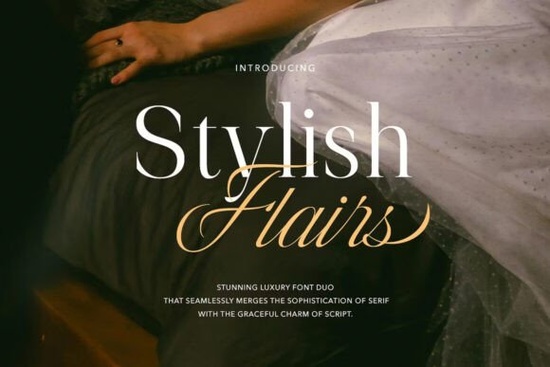
If you're looking for a font that works equally well on a boutique logo, a wedding invitation suite, or a small-batch greeting card, Stylish Flairs Font is worth your attention. It’s not just another script or serif it’s a thoughtfully paired duo where both styles were designed to complement each other from the start. That means no guessing whether your headline and body text will sit comfortably together. You get a refined serif and an elegant script in one package, both crafted with consistent spacing, weight balance, and subtle luxury cues like delicate terminals and soft contrast that feel intentional, not trendy.
When does this font actually save time?
For designers and crafters juggling multiple client projects or even your own print-on-demand shop font pairing is often the slowest part of layout work. You might spend 20 minutes testing serifs against scripts, adjusting tracking, checking kerning pairs, or exporting test PDFs. With Stylish Flairs Font, that step disappears. The serif and script share the same x-height, similar stroke rhythm, and harmonized proportions. Try it for a café menu: use the script for the shop name and the serif for dish descriptions. Or build a cohesive brand kit for a handmade soap line script for the product name, serif for ingredients and care instructions. No extra matching needed.
What kinds of projects fit best?
This isn’t a font built for dense paragraphs or technical documentation. It shines where tone and texture matter most:
- Wedding stationery (invitations, menus, place cards)
- Small business branding (logos, letterheads, social media banners)
- Print-on-demand products like mugs, tote bags, and art prints
- Craft fair signage and packaging for artisan goods
- Digital planners or printable quote cards for creatives
The script has gentle flow not overly connected or fussy so it remains legible at medium sizes. The serif is clean but warm, avoiding the stiffness of traditional Didones while keeping enough structure for readability. Both include standard OpenType features like ligatures and alternate characters, giving you light customization without needing design software expertise.
How does it compare to other elegant serif fonts?
It’s easy to assume all “elegant serif fonts” behave the same but they don’t. Some lean too formal for a modern lifestyle brand; others lack the softness needed for wedding work. Stylish Flairs Font sits in a practical middle ground: polished enough for luxury clients, approachable enough for handmade businesses. If you’ve tried other serif fonts with script companions, you’ll notice how few deliver true visual unity out of the box. For example, Kalista Elegant Font offers strong contrast and drama great for editorial headers but may feel too bold next to delicate watercolor illustrations. Meanwhile, more minimalist elegant serif fonts sometimes sacrifice character for clarity. Stylish Flairs keeps both qualities in balance.
What about licensing and usability?
You can use Stylish Flairs Font commercially no extra fees for POD shops, freelance design work, or selling physical goods like greeting cards or apparel. It supports Western Latin languages and includes uppercase, lowercase, numerals, punctuation, and basic accented characters. Files come in OTF and TTF formats, so they’ll load smoothly in Canva, Adobe apps, Cricut Design Space, and Silhouette Studio. There’s no cloud dependency or subscription you download once and keep it.
One thing to keep in mind: because the script has some delicate joins and thin strokes, avoid scaling it too small (under 14pt for print) or using it on low-resolution screens without testing first. For digital use, pair it with its companion serif for better legibility in longer text blocks.
Looking for real-world inspiration? Check out how Stylish Flairs Font appears in customer projects on Creative Fabrica especially wedding suites and boutique branding examples. You’ll see how others handle spacing, color contrast, and layout hierarchy without overcomplicating things.
Your quick-start checklist
- Download both files don’t just install the script and forget the serif. They’re meant to be used together.
- Test at actual size print a sample line at 24pt and 36pt to see how spacing holds up on paper.
- Try one layout with only the serif first, then swap in the script for headings this helps you hear the voice of the pair before committing.
- Check your software’s glyph panel access alternates and ligatures for subtle refinement (e.g., swapping a standard “&” for a more ornate version).
- Save a template with your preferred pairing settings (tracking, leading, color values) so you can reuse it across projects.
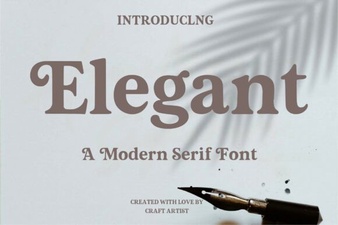 Font Design: Elevating Your Projects with Elegance
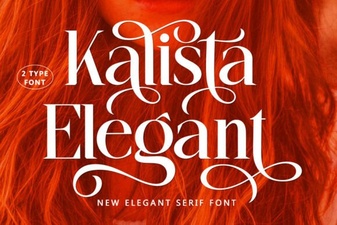 Kalista Elegant Font: Designs & Creative Projects
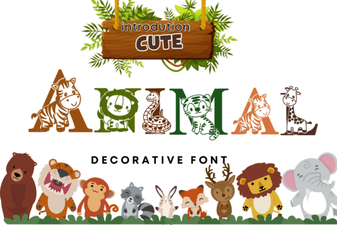 Cute Animal Fonts for Creative Projects & Designs
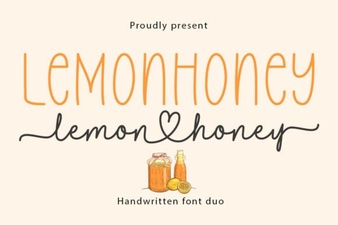 Lemonhoney Duo: Creative Typography for Modern Designs
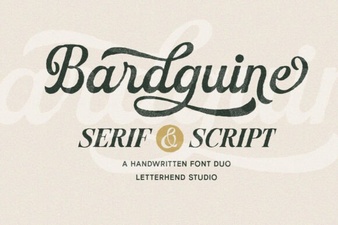 Bardguine: Elegant Duo Font for Creative Projects
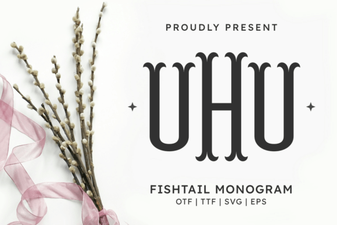 Fishtail Monogram Font for Elegant Branding & Projects