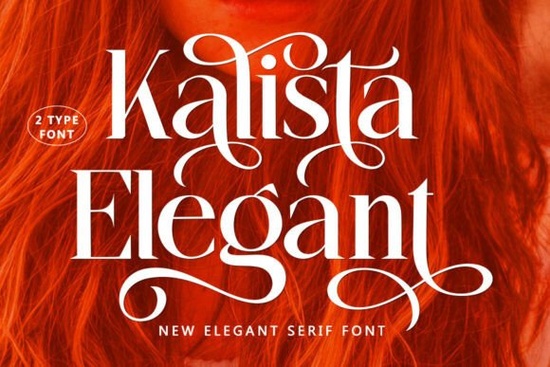
If you're looking for a serif font that feels both refined and approachable something that works just as well on a wedding invitation as it does on a hand-painted mug or a boutique product label you’ll likely appreciate Kalista Elegant Font. It’s not overly formal or stiff, but it carries quiet confidence. Designed with crafters and small creative businesses in mind, this font balances classic serif structure with subtle modern details, making it easy to use across digital and print projects without feeling dated or too trendy.
What makes Kalista Elegant different from other serif fonts?
Most elegant serif fonts lean heavily into tradition think high-contrast strokes, dramatic serifs, or ultra-thin hairlines. Kalista Elegant takes a gentler route. Its letterforms have consistent weight, soft curves, and just enough contrast to feel intentional not fussy. The bold weight adds warmth and friendliness, while the regular and italic variants keep things versatile. You’ll notice thoughtful touches: alternate glyphs for letters like “a”, “g”, and “y”, plus ligatures and swashes that let you add subtle personality without overcomplicating your layout.
This balance is why designers often reach for it when they need something polished but not pretentious like for a small-batch candle brand, a handmade stationery shop, or even a cozy café menu. It’s one of those fonts that looks like it belongs, rather than draws attention to itself.
Where does Kalista Elegant fit in your font collection?
If you already own a few elegant serif fonts, you’ll spot how Kalista stands out: it’s less ornate than script-heavy options, more grounded than ultra-thin display serifs, and more distinctive than generic “modern serif” bundles. It pairs well with clean sans-serifs (like Montserrat or Poppins) for contrast, or even with soft handwritten fonts when you want layered texture.
For crafters using Cricut or Silhouette software, the OpenType features including stylistic alternates and multilingual support mean you can switch up characters without swapping fonts. That flexibility matters when you’re designing dozens of variations for an Etsy shop or a seasonal craft fair lineup.
How do real people use Kalista Elegant?
- Print-on-demand sellers use it for minimalist t-shirt quotes and tote bag slogans especially when they want warmth without cutesiness.
- Wedding stationers layer it with light line art or watercolor elements for save-the-dates and menus that feel personal, not templated.
- Small food businesses apply it to jam jar labels and bakery chalkboard signs where legibility and charm both matter.
- Hobbyists choose it for scrapbooking titles or embroidery digitizing its clean shapes translate well to stitch files and vinyl cuts.
You’ll also find it grouped with other carefully curated options in our stylish flairs font collections, especially where subtle flair meets everyday usability. It’s not meant to shout it’s meant to settle in and look like it was always part of the design.
Is Kalista Elegant suitable for branding?
Yes if your brand voice leans toward sincerity, craftsmanship, or understated quality. It’s not built for tech startups or loud streetwear logos, but it shines for makers who sell handmade goods, wellness services, local boutiques, or artisanal foods. Because it includes uppercase, lowercase, numbers, punctuation, and extended Latin characters, it supports most English-language business needs right out of the box.
It’s worth noting that while Kalista Elegant is designed for clarity at medium to large sizes (think headings, posters, packaging), it’s not optimized for body text in long-form documents. For that, you’d pair it with a friendly, highly readable serif or sans-serif like Kalista Elegant Font for headlines and something like Lora or Nunito for paragraphs.
Getting started with Kalista Elegant
Once downloaded, install it like any desktop font (double-click on Mac, right-click > “Install” on Windows). Then test it in your usual tools: Canva, Adobe Illustrator, Procreate (with font installation enabled), or Cricut Design Space (uploaded as SVG or used via system font if supported).
Try these quick experiments:
- Set a short phrase in bold Kalista, then add a thin sans-serif subtitle beneath it.
- Use the alternate “a” glyph in a logo mockup does it feel more distinctive?
- Print a sample on cardstock or fabric paper to see how the curves hold up in physical form.
If you're exploring similar styles, check out our full range of Kalista Elegant font resources, including matching dingbats, monogram sets, and ready-to-use quote templates all made to complement its tone.
Next step: Pick one project you’ve been putting off a holiday card design, a new product label, or a social media banner and try Kalista Elegant as your only font for the headline. See how far simplicity takes you.
Download Now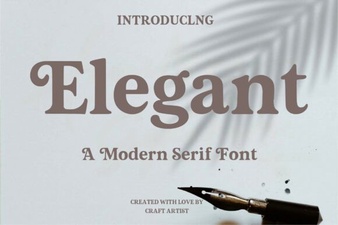 Font Design: Elevating Your Projects with Elegance
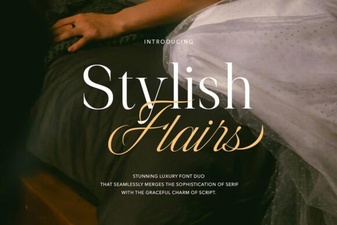 Modern Typography: Unleashing Stylish Flairs Fonts
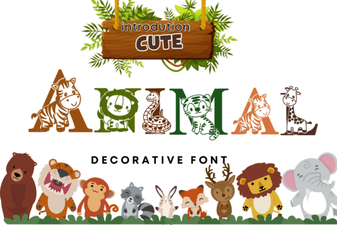 Cute Animal Fonts for Creative Projects & Designs
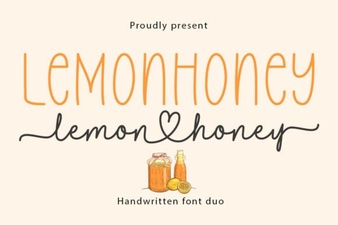 Lemonhoney Duo: Creative Typography for Modern Designs
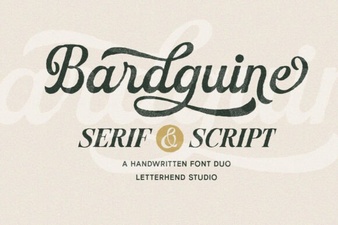 Bardguine: Elegant Duo Font for Creative Projects
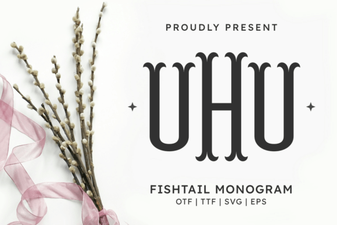 Fishtail Monogram Font for Elegant Branding & Projects