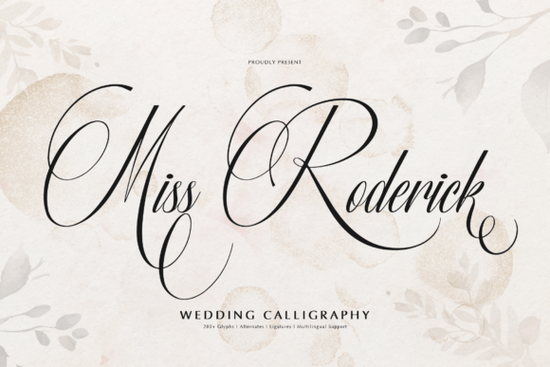
If you're looking for a wedding calligraphy font that feels both timeless and personal, Miss Roderick Font is worth your attention. It’s not just decorative it’s thoughtfully built for real use: formal invitations, boutique stationery, signature-style logos, and heartfelt quote graphics. Designed with graceful loops, delicate thin strokes, and strong contrast between thick and thin lines, it carries quiet confidence without shouting. You’ll notice it works especially well when printed whether on luxe letterpress paper or soft-touch foil-stamped cards.
Who actually uses Miss Roderick and why?
Small business owners creating custom wedding suites often choose Miss Roderick because it pairs beautifully with minimal layouts. Print-on-demand sellers appreciate how its stylistic alternates and ligatures let them offer unique variations without extra design work. Designers working on branding for florists, bakeries, or bridal boutiques find it strikes the right balance: elegant but not stiff, romantic but not overly cursive. And crafters who hand-letter quotes or make digital scrapbook kits value its multilingual support covering Western European, Central European, and Romanian characters without switching fonts.
It includes over 280 glyphs, so you’re covered for accented letters, fractions, ornaments, and even swashes. That means fewer font swaps mid-project and less time troubleshooting missing characters in exported PDFs.
How does it compare to other script fonts on Creative Fabrica?
Like Magic Heart Font, Miss Roderick leans into warmth and flow but with higher contrast and more formal structure. If you’ve used Bardguine, you’ll recognize the serifed script energy, though Miss Roderick skips the serifs for cleaner, airier spacing. It’s less playful than Frisky Cat (which shines in casual branding), and more refined than Summer Beach, which leans into vacation vibes. For projects where tone matters like a vow book versus a beach wedding menu those distinctions add up.
Compared to Detourne, Miss Roderick has tighter spacing and more consistent baseline alignment, making it easier to mix with sans-serif body text. That’s helpful if you’re designing full invitation suites where hierarchy and readability matter as much as beauty.
What kinds of files do you get and what can you do with them?
You’ll receive OpenType (.OTF) and TrueType (.TTF) files, plus web-ready WOFF and WOFF2 versions if you’re building a branded website or email template. All files support OpenType features like contextual alternates and discretionary ligatures accessible through design apps like Adobe Illustrator, Affinity Designer, or even newer versions of Canva (via “advanced font settings”).
No need to manually swap characters for “fi” or “fl” ligatures the font handles those automatically. Stylistic sets let you toggle between different loop shapes or entry/exit strokes, giving subtle variety across multiple uses (e.g., one version for the couple’s names, another for the date).
For crafters using Cricut or Silhouette machines: the clean vector outlines hold up well at small sizes, and the high-contrast strokes cut cleanly even at 12 pt on vinyl or foil transfers.
Where does it fall short?
It’s not meant for long paragraphs or body text. The fine hairlines can blur or break up at smaller sizes or on low-resolution screens. And while it supports many Latin-based languages, it doesn’t include Cyrillic, Greek, or extended Arabic glyphs so it’s best suited for English, French, Spanish, German, Polish, and similar use cases.
If your project needs bold weight options or matching sans-serif companions, you’ll want to pair it with a complementary typeface (we’ve seen it work well with Montserrat Light, Playfair Display, or even a gentle geometric like Poppins).
Real-world tips before you download
- Test it first in your intended layout not just as a standalone sample. Try typing “The Smith & Lee Wedding • June 14, 2025” to see how spacing and ligatures behave.
- Turn on “Contextual Alternates” in your software. It makes a visible difference in rhythm and flow especially in words like “love,” “forever,” or “together.”
- Export PDFs with embedded fonts if sharing with printers. Some older RIP systems don’t auto-substitute OpenType features correctly.
- For social media graphics, use the WOFF2 version only if embedding via CSS. Otherwise, stick with PNG exports to preserve crisp edges.
Looking for more script inspiration? You might also like Miss Roderick Font, Magic Heart Font, or Bardguine Font each brings something distinct to the table, depending on your project’s voice and audience.
Next step: Open your current invitation mockup or logo draft, drop in Miss Roderick for the headline or names, enable OpenType features, and compare side-by-side with your current font. Even a 30-second test will tell you whether it fits the mood you’re aiming for.
Get Started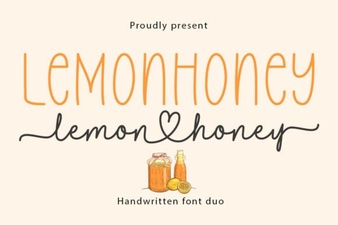 Lemonhoney Duo: Creative Typography for Modern Designs
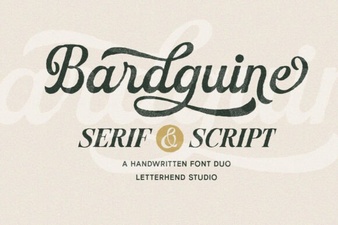 Bardguine: Elegant Duo Font for Creative Projects
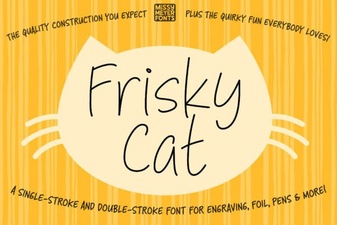 The Frisky Cat Font for Creative Design Projects
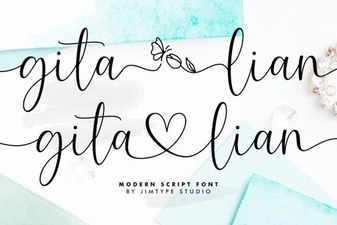 The Gita Lian Font for Creative Typography Projects
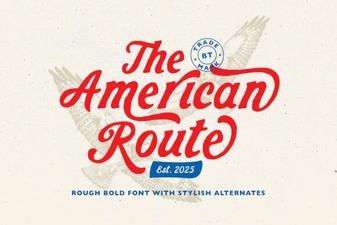 American Route Fonts for Maps & Signage
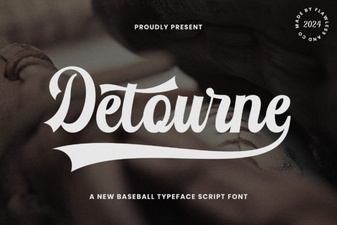 Discover Your Font: Detourne for Creative Projects